GLMakie: recording a movie while interacting with a Scene produces a StackOverflow

I am using GLMakie.jl in a GUI application (RainbowAlga.jl) which is an interactive event display for neutrino interactions in water-based Cherenkov detectors. The application works really nicely but I am currently stuck on the most-requested features: video recording.

What I would like to implement is toggling video recording with a keypress, e.g. pressing V to start recording and pressing V again to stop and save the video. During these two events, the user should be able to interact with the display.

OK, long story short, the following MWE resembles the structure of my application, creates a window, a basegrid and rotates the camera in the renderloop. There are two keyboard events registered:

  • P to save a screenshot (works fine, just like in the original app)
  • V to start/top video recording → immediately crashing when creating VideoStream(scene) and after a while it shows a StackOverflow

How can I achieve this functionality? Starting/stopping live video recording while viewing the scene…

using GLMakie


"""

A non-evel global state to manage the video recording.

"""
mutable struct VideoRecordingState
    isrecording::Bool
    videostream::Union{VideoStream, Nothing}
end

const GLOBAL_VIDEO_RECORDING_STATE = Ref{Union{VideoRecordingState, Nothing}}(nothing)


function global_vrs()
    if isnothing(GLOBAL_VIDEO_RECORDING_STATE[])
        GLOBAL_VIDEO_RECORDING_STATE[] = VideoRecordingState(false, nothing)
    end
    GLOBAL_VIDEO_RECORDING_STATE[]
end


function main()
    scene = Scene(backgroundcolor=RGBf(1.0))
    cam = cam3d!(scene, rotation_center = :lookat)
    screen = display(GLMakie.Screen(start_renderloop=true, focus_on_show=true), scene)

    basegrid!(scene)  # against whiteout

    register_events(scene)

    on(screen.render_tick) do tick
        rotate_cam!(scene, Vec3f(0, 0.001, 0))

        if global_vrs().isrecording
            # can't even reach this block due to the stackoverflow caused by VideoStream(scene)
            recordframe!(scene)
        end
    end

    wait(screen)
end


"""

Registers callbacks for user inputs.

"""
function register_events(scene)
    on(events(scene).keyboardbutton) do event
        if ispressed(scene, Makie.Keyboard.p)
            fname = "screenshot.png"
            save(fname, scene)
            println("Screenshot saved as '$(fname)'")
            return Consume()
        end
        if ispressed(scene, Makie.Keyboard.v)
            vrs = global_vrs()
            if !vrs.isrecording
                println("Video recording started")
                vrs.isrecording = true
                vrs.videostream = VideoStream(scene)  # stackoverflow!
            else
                println("Video recording stopped")
                vrs.isrecording = false
                # not sure how to close properly, for now just GC-feeding it
                save("movie.mp4", vrs.videostream)
                vrs.videostream = nothing
            end
        end
    end
end


"""

Draws a basegrid into the scene's xy-plane.

"""
function basegrid!(scene; center=(0, 0, 0), span=(-1, 1), spacing=0.1, linewidth=1, color=(:grey, 0.3))
    min, max = span
    center = Point3f(center)
    for q ∈ range(min, max; step=spacing)
        lines!(scene, [Point3f(q, min, 0) + center, Point3f(q, max, 0) + center], color=color, linewidth=linewidth)
        lines!(scene, [Point3f(min, q, 0) + center, Point3f(max, q, 0) + center], color=color, linewidth=linewidth)
    end
    scene
end


main()

Btw. I already created scripts which programmatically handle the camera movement and export videos (see https://www.youtube.com/watch?v=5pOz4qdnS1s) but for that, I had to juggle around with the scene creation since the GUI was not required.
Instead of using screen = display(GLMakie.Screen(start_rendeloop=true, ...), I had to create a Figure with the desired dimensions, create an LScene and then replacing it’s scene with my own renderer, like

    fig = Figure(size = (3840, 2160), figure_padding = 0, backgroundcolor = bgcolor)
    lscene = LScene(fig[1, 1]; show_axis = false, scenekw = (; size = (3840, 2160)))
    scene = lscene.scene

This worked prefectly fine with a record(fig, ...) do t block:

    record(fig, "uhe_animation.mp4", time_iterator; framerate = framerate) do t
        cam_lookat =
            cam_lookat_start + frame_idx / nframes * (cam_lookat_end - cam_lookat_start)
        cam_pos = cam_pos_start + frame_idx / nframes * (cam_pos_end - cam_pos_start)
        update_cam!(scene, cam, cam_pos, cam_lookat, Vec3f(0, 0, 1))

        # some additional screen manipulation logic...

        frame_idx += 1
        next!(p)
    end

Ok, this is actually a bit more complicated since VideoStream is written for the record(fig, file) pattern which does a couple of problematic things..
This should work:

using GLMakie, Colors
using Colors: N0f8

"""

A non-evel global state to manage the video recording.

"""
mutable struct VideoRecordingState
    isrecording::Bool
    videostream::Any
end

const GLOBAL_VIDEO_RECORDING_STATE = Ref{Union{VideoRecordingState, Nothing}}(nothing)

function _save(path::String, vio)
    close(vio.process)
    wait(vio.process)
    p, typ = splitext(path)
    video_fmt = vio.options.format
    if typ != ".$(video_fmt)"
        # Maybe warn?
        Makie.convert_video(vio.path, path)
    else
        cp(vio.path, path; force=true)
    end
    return path
end

function blit_colorbuffer!(screen, vio)
    glnative = colorbuffer(screen, Makie.GLNative)
    xdim, ydim = size(glnative)
    if eltype(glnative) == eltype(vio.buffer) && size(glnative) == size(vio.buffer)
        write(vio.io, glnative)
    else
        copy!(view(vio.buffer, 1:xdim, 1:ydim), glnative)
        write(vio.io, vio.buffer)
    end
    return Core.println("Wrote frame to video stream")
end

function video_stream(
        screen::GLMakie.Screen;
        format="mp4", framerate=24, compression=nothing, profile=nothing, pixel_format=nothing, loop=nothing,
        loglevel="quiet"
    )

    dir = mktempdir()
    path = joinpath(dir, "$(gensym(:video)).$(format)")
    first_frame = colorbuffer(screen)
    _ydim, _xdim = size(first_frame)
    xdim = iseven(_xdim) ? _xdim : _xdim + 1
    ydim = iseven(_ydim) ? _ydim : _ydim + 1
    buffer = Matrix{RGB{N0f8}}(undef, xdim, ydim)
    vso = Makie.VideoStreamOptions(format, framerate, compression, profile, pixel_format, loop, loglevel, "pipe:0", true)
    cmd = Makie.to_ffmpeg_cmd(vso, xdim, ydim)
    # a plain `open` without the `pipeline` causes hangs when IOCapture.capture closes over a function that creates
    # a `VideoStream` without closing the process explicitly, such as when returning `Record` in a cell in Documenter or quarto
    process = open(pipeline(`$(Makie.FFMPEG_jll.ffmpeg()) $cmd $path`; stdout=devnull, stderr=devnull), "w")
    vio = (io=process.in, process=process, options=vso, buffer=buffer, path=path)
    chan = Channel{Nothing}(Inf) do c
        # Somehow this needs to happen here otherwise write(io) blocks!
        for f in c
            blit_colorbuffer!(screen, vio)
        end
    end
    return (chan=chan, vio=vio)
end

function global_vrs()
    if isnothing(GLOBAL_VIDEO_RECORDING_STATE[])
        GLOBAL_VIDEO_RECORDING_STATE[] = VideoRecordingState(false, nothing)
    end
    GLOBAL_VIDEO_RECORDING_STATE[]
end

function main()
    scene = Scene(backgroundcolor=RGBf(1.0))
    cam = cam3d!(scene, rotation_center = :lookat)
    screen = display(GLMakie.Screen(start_renderloop=true, focus_on_show=true), scene)
    basegrid!(scene)  # against whiteout

    register_events(scene, screen)

    on(screen.render_tick) do tick
        rotate_cam!(scene, Vec3f(0, 0.001, 0))
        if global_vrs().isrecording && !isnothing(global_vrs().videostream)
            vio = global_vrs().videostream
            put!(vio.chan, nothing)
        end
    end
end

"""
Registers callbacks for user inputs.
"""
function register_events(scene, screen)
    on(events(scene).keyboardbutton) do event
        # Async needed for anything which takes more than a few milliseconds
        @async try
            if ispressed(scene, Makie.Keyboard.p)
                fname = "screenshot.png"
                save(fname, scene)
                return Consume()
            end
            if ispressed(scene, Makie.Keyboard.v)
                vrs = global_vrs()
                if !vrs.isrecording
                    vrs.isrecording = true
                    vrs.videostream = video_stream(screen)
                else
                    vrs.isrecording = false
                    if !isnothing(vrs.videostream)
                        _save("movie.mp4", vrs.videostream.vio)
                    end
                    # not sure how to close properly, for now just GC-feeding it
                    vrs.videostream = nothing
                end
            end
        catch e
            @warn "Error in keyboard event handler" exception=e
        end
    end
end


"""

Draws a basegrid into the scene's xy-plane.

"""
function basegrid!(scene; center=(0, 0, 0), span=(-1, 1), spacing=0.1, linewidth=1, color=(:grey, 0.3))
    min, max = span
    center = Point3f(center)
    for q ∈ range(min, max; step=spacing)
        lines!(scene, [Point3f(q, min, 0) + center, Point3f(q, max, 0) + center], color=color, linewidth=linewidth)
        lines!(scene, [Point3f(min, q, 0) + center, Point3f(max, q, 0) + center], color=color, linewidth=linewidth)
    end
    scene
end


main()

I heavily advise against having the global video recording state and just have things like this in one struct, which has the screen/videio etc…

2 Likes

Many thanks Simon, I am now playing with it :grinning_face:

I will also revise the global state of course.

1 Like

OK, I played around but I have a big problem, it is extremely slow when I use it in the actual application. I guess it’s too busy in the event loop or some other type instability? :confused:

In about 30 seconds or so, only 5 frames were saved and the export of the movie took also quite a few seconds after pressing v. The screenshot exporter is faster :grinning_face:

Video recording started.
Wrote frame to video stream
Video recording stopped.
Wrote frame to video stream
Movie exported as 'RBA_movie_001.mp4'.

Is it maybe related to the videostream::Any field of the VideoStreamState? I tried to make it more stable and even experimented with a Union for the VideoRecordingState:

mutable struct VideoRecordingState
    isrecording::Bool
    videostream::Union{@NamedTuple{chan::Channel{Nothing}, vio::@NamedTuple{io::Base.PipeEndpoint, process::Base.Process, options::Makie.VideoStreamOptions, buffer::Matrix{ColorTypes.RGB{N0f8}}, path::String}}, Nothing}
    counter::Int
end

but it did not help at all. Not sure if this is now a show stopper or if I made some stupid mistake (again :laughing: ).

I created a branch, maybe you or someone else has an idea where it goes wrong. I don’t have a good tooling setup to figure out where the performance is blowing up. Any recommendations?

In any case, to reproduce it:

julia> using Pkg; Pkg.Registry.add(); Pkg.Registry.add(RegistrySpec(url = "https://git.km3net.de/common/julia-registry"))

julia> ]add RainbowAlga#video-recording

julia> using RainbowAlga; RainbowAlga.run(; interactive=false)

and then press v (twice, the first is ignored, just ignore it for now :laughing: ) to start the recording and v again to stop it. Then wait a couple of seconds until “Movie exported as …” is printed.

Oh that’s weird, for me it was actually faster while recording somehow :open_mouth:

I will try to go back to the version with the global state, currently I attached it to the RBA global state which might cause the problems. The MWE worked for me fine as well, I think I got the 24 FPS.

EDIT: I will report back, don’t waste your time in the meantime…

No luck yet @sdanisch :frowning: I could not yet figure out why it’s so slow. I also tried using the same global construct as above, but it’s the same performance. I only used the standard geometry which needs to be displayed anyways and I only get about 1 frame per minute.
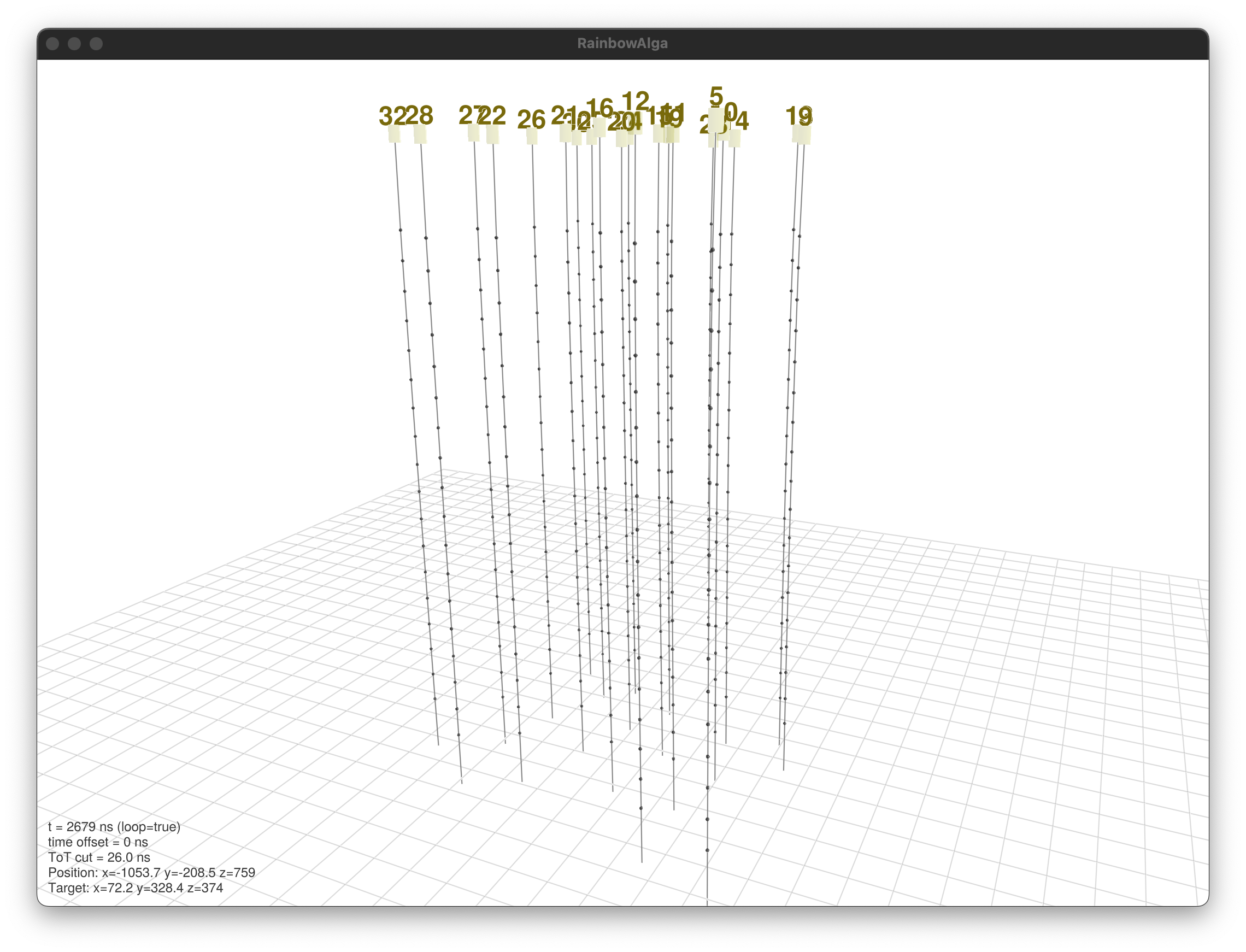
If I load a smaller detector, I get significantly more frames per unit time (about 1-2 per second):laughing:

Do you have any idea where the performance bottleneck comes from? Is there way to somehow utilise a buffer and process it in parallel, so basically sacrifice ram by copying the frame buffer and use another thread to process it? I tried but I am a bit lost in the details :laughing: